

Strike Overview
- Bumper ads run up to six seconds. Standard non-skippable Video Reach ads and connected TV buys have different length requirements.
- Shorts ads can use longer assets in eligible setups. Up to 60 seconds play in the Shorts feed.
- New format. Watch-While ads appear below videos on the mobile Watch page. Google documented the format in August 2026.
- Video Reach, Video Views and Demand Gen use different asset mixes. Check the campaign before briefing edits or approving copy.
Jump to Section
This post was updated in November 2026 to provide you with the latest information.
Combining in-stream, in-feed and Shorts in a Video Reach Campaign can deliver 35% more unique reach on average than in-stream alone, according to Google’s campaign guidance. That gives advertisers a reason to consider the format mix while the media plan and creative brief are still taking shape.
For its own Chrome campaigns in the U.S., Google used horizontal CTV cuts, vertical Shorts and square feed assets, with messaging tailored to different audiences. Its creative tests for gamers and shoppers delivered an 8% lower cost per incremental install, showing how the asset mix and the message can work together.
Each asset should have a defined role in the campaign, with the right duration, framing and supporting copy for its intended placement. Working through those requirements before approving the edits helps teams prepare creative that supports the media plan across screens.
Below, you’ll find the YouTube ad specifications for 2027, starting with a side-by-side look at placements, recommended dimensions and duration rules. The detailed sections then cover the format and campaign requirements to check before production and launch.
YouTube Ad Specs at a Glance
Ad format | Where it appears | Recommended asset or image requirement | Duration and eligibility |
Skippable in-stream | Before, during or after eligible YouTube videos, and in eligible mobile Playables | Start with 1920 × 1080 px, 16:9 | Viewers can skip after 5 seconds. A 15-second cut is a starting point for Efficient Reach. |
Non-skippable in-stream | YouTube videos, eligible mobile Playables and connected TV (CTV) inventory | Start with 1920 × 1080 px, 16:9. Use horizontal for the 30-second Video Reach option. | Standard Video Reach assets run 7–15 seconds. Its 30-second CTV option accepts 16–30 seconds. Reservation limits depend on the buy. |
| Bumper | YouTube videos and eligible mobile Playables | 1920 × 1080 px, 16:9 is a practical starting point for Video Reach. | Google’s format guide lists 5–6 seconds. |
In-feed video | Eligible YouTube Home, Search, Watch Next and Subscriptions surfaces | Start with 1920 × 1080 px, 16:9, and review the thumbnail and text. | A 15-second edit is a starting point. Eligibility varies by campaign. |
YouTube Shorts video | Between videos in the Shorts feed | 1080 × 1920 px, 9:16 recommended. | Google recommends under 60 seconds. Up to 60 seconds play in the feed, even when an eligible asset runs longer. |
Watch-While (August 2026) | Below the video on the YouTube Watch page on mobile | Use an eligible image asset. | Video playback continues. The ad can be closed and auto-dismisses after 30 seconds of inactivity. |
YouTube Pause | Alongside paused YouTube video on eligible CTV inventory | Static PNG or JPG, 1,080–1,350 px on each side, up to 2 MB. | Available in eligible YouTube Select reservation lineups. |
YouTube Masthead | Prominent placement on YouTube Home | 1920 × 1080 px or higher, 16:9 recommended. | Desktop autoplay runs up to 30 seconds. Preview other devices separately. |
Use these sizes to brief the creative team, then check the format requirements in Google Ads for the campaign subtype and buying option you’ve selected.
YouTube Video Dimensions, Aspect Ratios and File Requirements
Video orientation | Aspect ratio | Recommended dimensions |
Horizontal | 16:9 | 1920 × 1080 px |
Vertical | 9:16 | 1080 × 1920 px |
Square | 1:1 | 1080 × 1080 px |
If you’re working with existing creative, the Google Ads video specs also list 1280 × 720 px for horizontal video, 720 × 1280 px for vertical video and 480 × 480 px for square video. For a new edit, start with the recommended dimensions and check the requirements for the placement.
Upload the video to YouTube and set it to Public or Unlisted, as required by the ad format. The video upload requirements list MPG (MPEG-2 or MPEG-4) as the recommended format and accept MP4, MOV, AVI, WebM and HEVC, among others. Keep the export below 256 GB and match the original frame rate when encoding the video.
Thumbnails and companion banners
- Video thumbnail. Google recommends 1280 × 720 px (16:9). Use JPG, GIF or PNG under 2 MB for video thumbnails. Check how the image reads beside the in-feed headline.
- Desktop companion banner. Use 300 × 60 px (5:1) and keep the JPG, GIF or PNG under 150 KB. Where the format supports it, you can upload a custom companion banner or use the one Google generates from your YouTube channel.
YouTube Ad Formats Explained
In-stream non-skippable ads
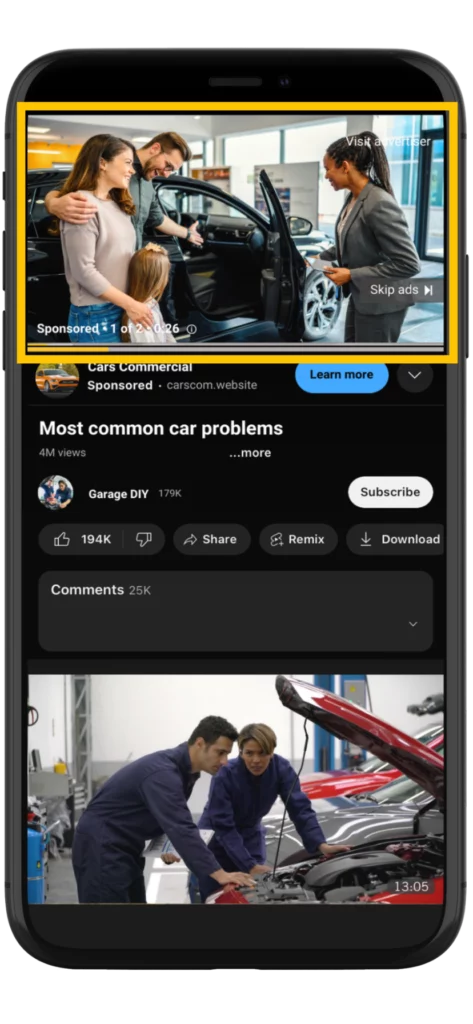
These YouTube ad formats play while viewing the video content and last up to 15 seconds or shorter. Non-skippable video ads appear before the selected video and much be watched in its entirety before the video can be viewed.
Ad placements
- Where they appear: Appear before, during, or after YouTube videos
- Also served across video partner sites and apps within the Google Display Network (GDN) (unless excluded in campaign settings)
Assets overview
- Video URL: Must be uploaded and hosted on YouTube
- Final URL: Landing page users are directed to after clicking the ad
- Display URL: Up to 255 characters
- Headline: ≤15 characters
- Companion: 300 pixels by 60 pixels .jpg, static .gif or .png; 300 pixels by 250 pixels video wall will show on YouTube if no companion ad is provided
- Maximum file size: 150KB
Video ad settings
- File format: .MPG (MPEG-2 or MPEG-4)
- .WMV, .AVI, .MOV and .FLV .MPEG-1, .MP4, .MPEGPS, 3GPP, WebM, DNxHR, ProRes, CineForm and HEVC (h265)
- Resolution: 1920 x 1080px (horizontal); 1080 x 1920px (vertical); 1080 x 1080px (square)
- Minimum px for Standard HD: 1280 x 720px (horizontal); 720 x 1280px (vertical); 480 x 480px (square)
- Frame rate: 30 FPS
- Aspect ratio: 16:9 for horizontal; 9:16 for vertical; 1:1 for square
- Maximum file size: ≤ 256GB
- Length: 15 or 20 seconds for non-skippable; ≤ 20 seconds for long non-skippable
In-stream skippable ads
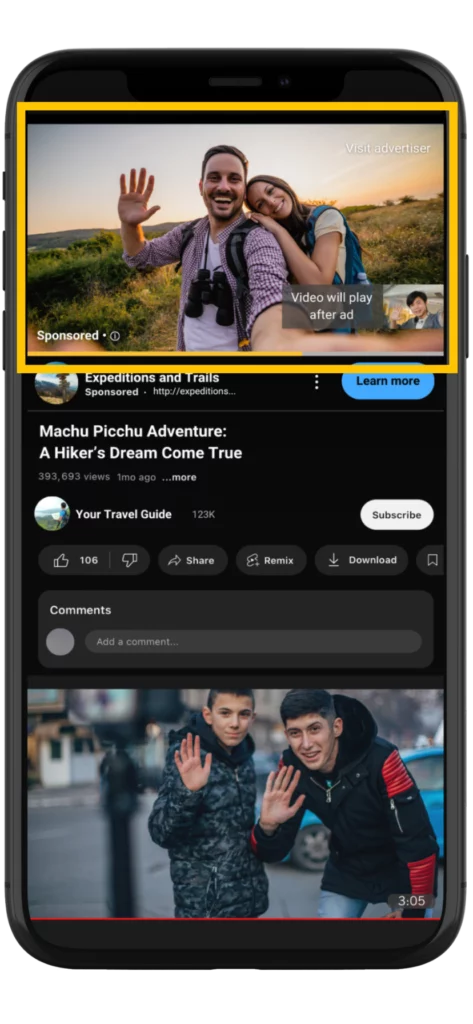
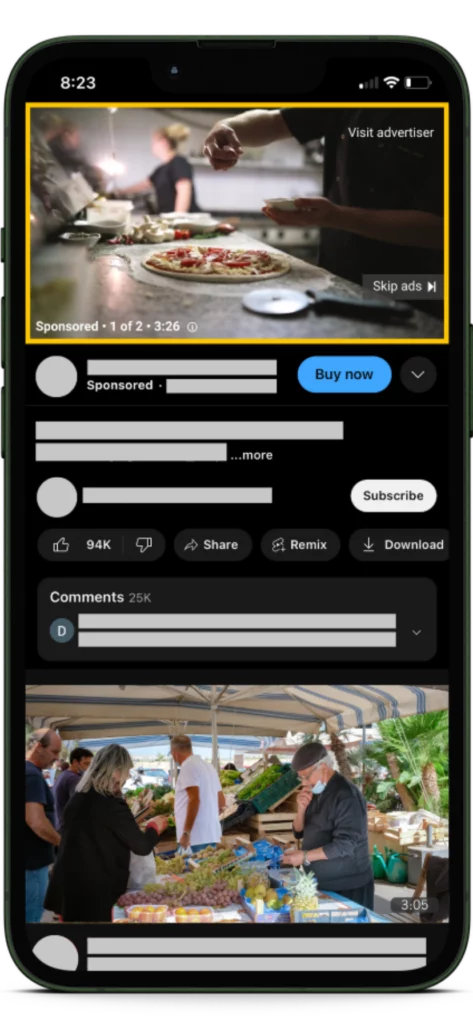
Skippable in-stream ads can play before, during or after eligible videos. Viewers can skip after five seconds, so show them the product, brand or offer early. Google generally recommends keeping these ads under three minutes, with length and orientation eligibility depending on the campaign. If an older brief uses “TrueView” for skippable creative, look for skippable in-stream in Google Ads. Google also uses TrueView views as the name of the paid view metric.
Ad placements
- YouTube video playback and eligible games on YouTube Playables in the mobile app. Ads may also run on eligible Google video partner sites and apps, depending on campaign settings.
Assets overview
- Video URL. Use a Public or Unlisted YouTube video.
- Final URL. Send viewers to a landing page that matches the offer. The display URL must match the destination domain.
- Copy and companion banner. Check the campaign’s headline, CTA and description fields. Where available, the 300 × 60 px companion banner displays on desktop.
- Final URL: Landing page users are directed to after clicking the ad
Video ad settings
- File format: .MPG (MPEG-2 or MPEG-4)
- .WMV, .AVI, .MOV and .FLV .MPEG-1, .MP4, .MPEGPS, 3GPP, WebM, DNxHR, ProRes, CineForm & HEVC (h265)
- Resolution: 1920 x 1080px (horizontal); 1080 x 1920px (vertical); 1080 x 1080px (square)
- Minimum px for Standard HD: 1280 x 720px (horizontal); 720 x 1280px (vertical); 480 x 480px (square)
- Frame rate: 30 FPS
- Aspect ratio: 16:9 for horizontal; 9:16 for vertical; 1:1 for square
- Maximum file size: ≤256 GB
- Best practices for Awareness and Action campaigns: 15 to 20 seconds; for Consideration campaigns: 60 seconds to 3 minutes
- Length: 15 seconds to 3 minutes
Types of YouTube Ads, Sizes, and Specifications
Overlay ads
As of April 6, 2023, Overlay ads have been discontinued in YouTube. Active overlay ads will only appear on desktop view as YouTube Creators shift to newer ad formats for YouTube advertising.
Overlay image: required
- Unit: 480 pixels by 70 pixels
- File type: static GIF, PNG, JPG
- File size: 150KB
Companion banner: optional
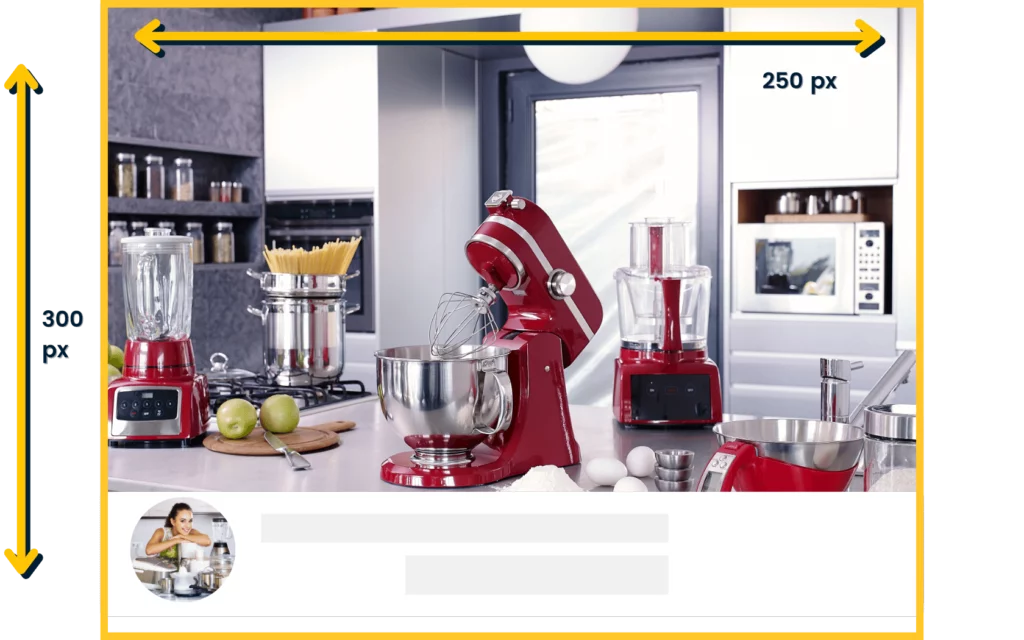
- Unit: 300 pixels by 250 pixels
- File type: GIF, PNG, JPG
- File size: 150KB
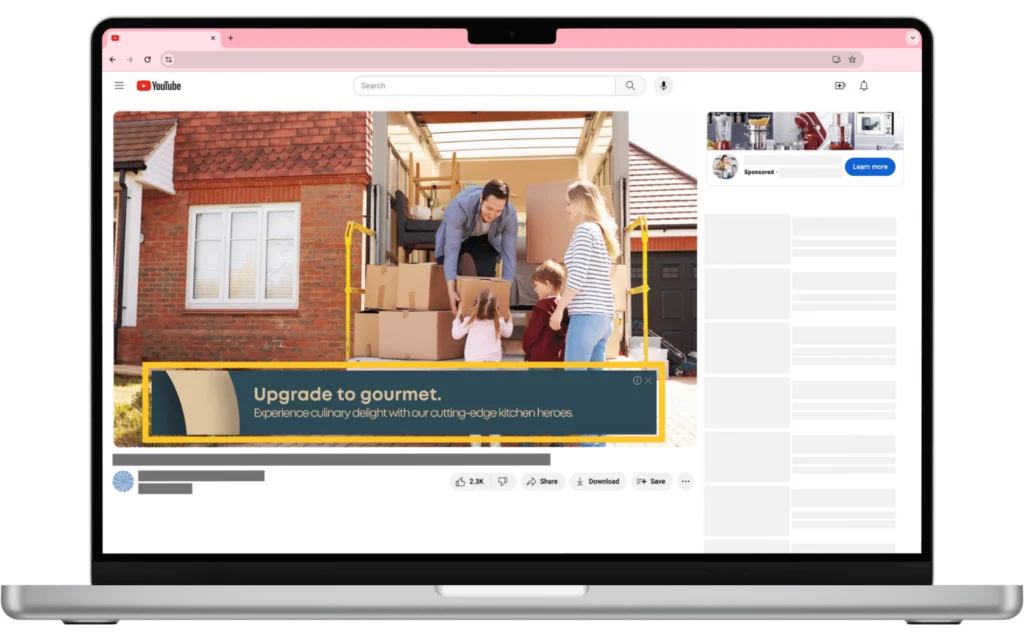
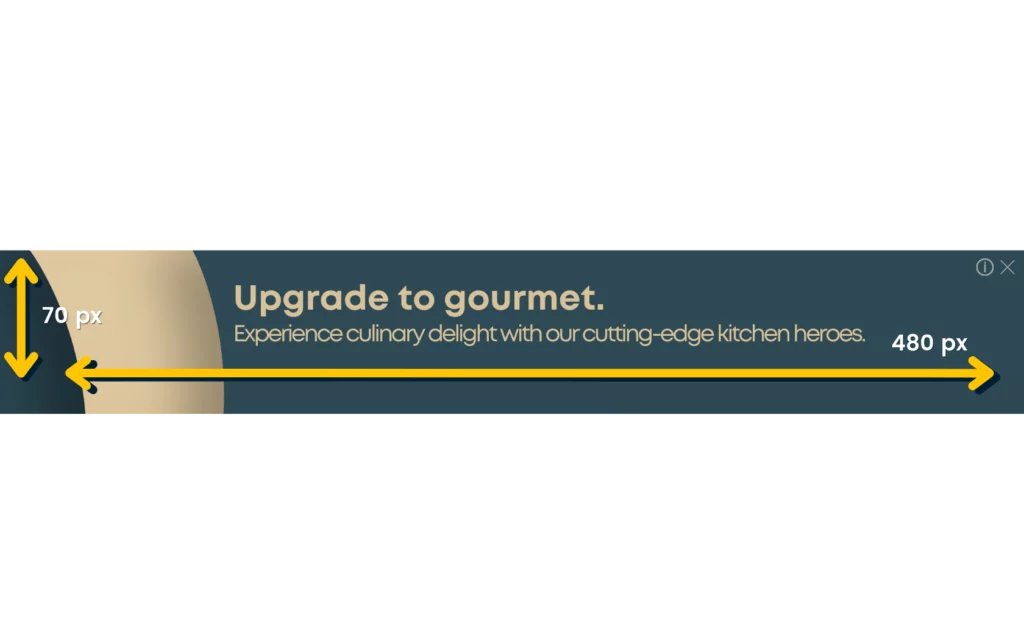
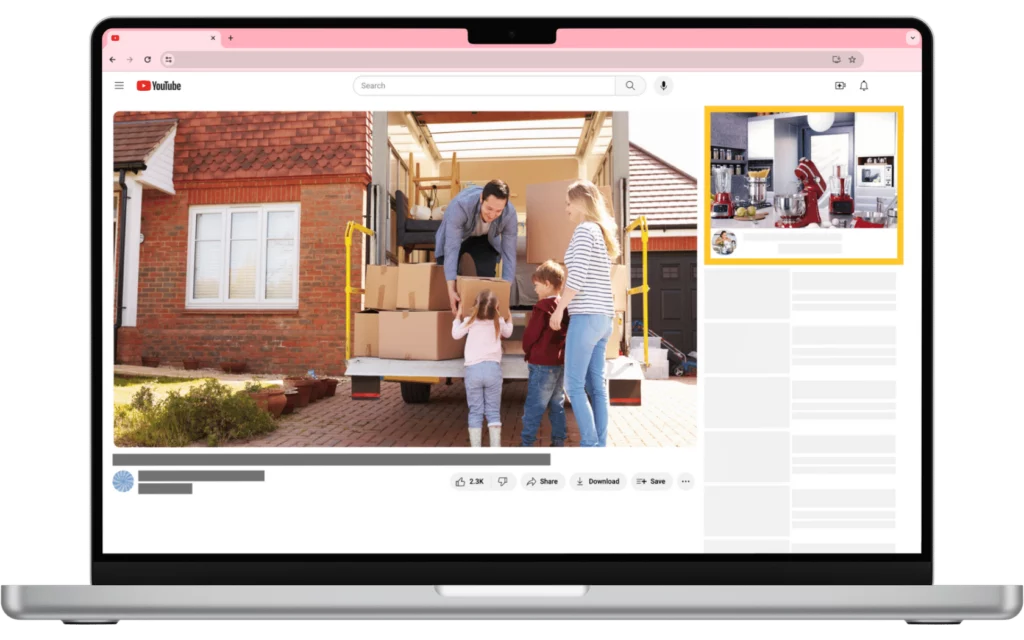
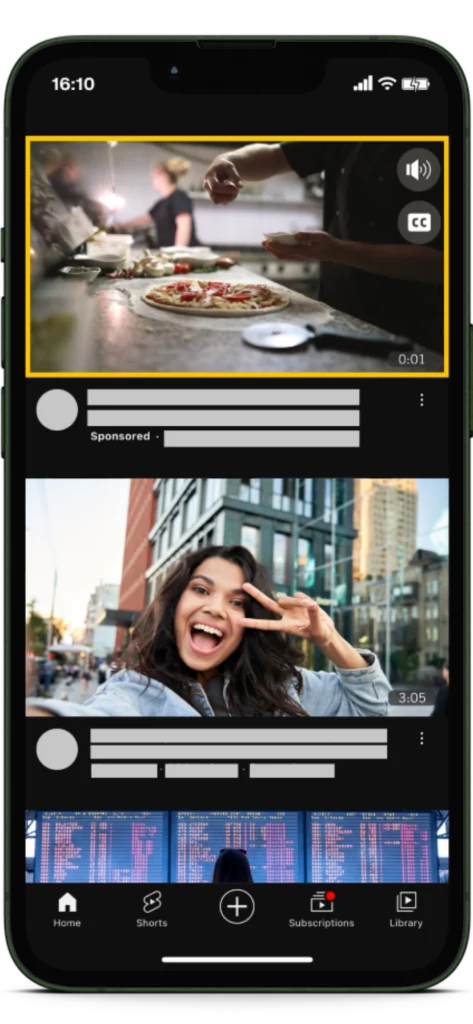
Think of discovery ads as an online billboards of sorts. These are generally static images or have very minimal movement and animation to them. According to the YouTube ad specifications, they appear either to the side of the video or as an overlay on the bottom of the video. They’re good to include in your YouTube advertising mix because they’re less expensive than other ad forms like those that appear before or during videos.
Since they don’t directly interfere with user activity on the site, users might also respond better to their presence. A potential drawback could be that some users have a tendency to tune out these kinds of ads, but a truly great ad can break through the clutter. Whatever size or format you choose is up to you, just make sure that the content is optimized for the ad format and that there is a clear call-to-action for your YouTube audiences to respond to.
Further Reading
Understanding YouTube Advertising Costs for Maximum Efficiency
For YouTube advertisers, balancing cost management with expanding reach is critical to success. As video consumption trends evolve, media buyers face challenges in identifying the most efficient ways to maximize ad visibility without exceeding budgets.
Sponsored cards
YouTube Sponsored cards have also been discontinued, as part of an ongoing effort to streamline the viewing experience and shift towards different video advertising formats.
Sponsored card worked as a brief “teaser”, which will be replaced by a card icon after a few seconds. Appearing in the upper right-hand corner of the video they are currently watching, the icon gives users the choice of clicking through to access further information about the sponsored content.
- Platform: Desktop and mobile devices
- Media: image
- Format: JPG, PNG, GIF
- Aspect Ratio: 1:1
- Length: 15 or 20 seconds
- File Size: 2MB max
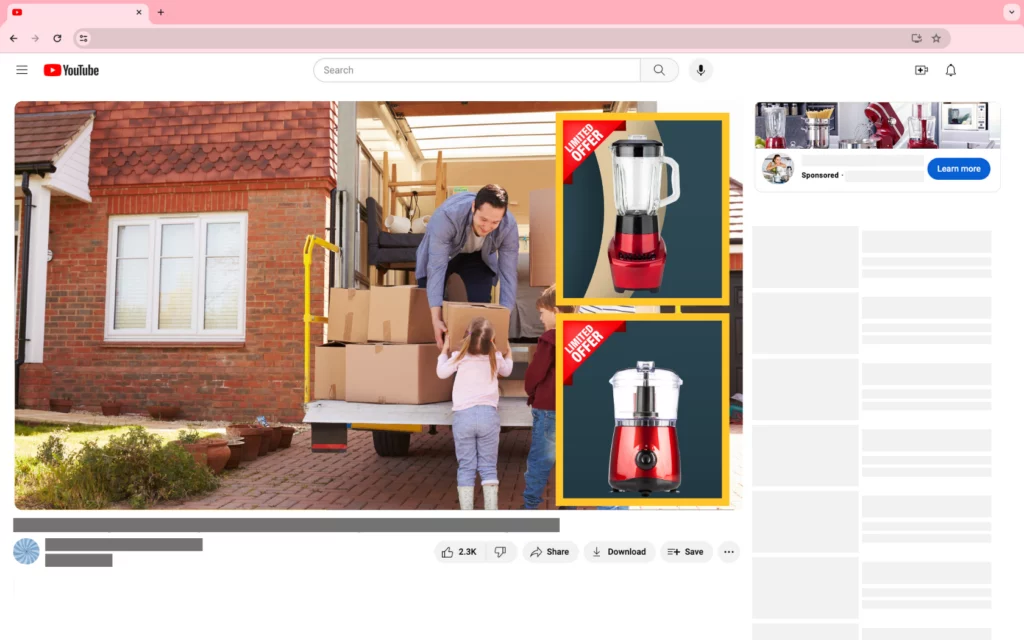
In that sense, a sponsored card ad is similar to display ads except where it’s located and how it functions differs slightly. The commonality among them is the ever critical call-to-action.
Bumper ads
Ad placements
- YouTube videos, video partner sites, and apps within the Google Display Network
Assets overview
- Video URL: Must be uploaded and hosted on YouTube
- Final URL: Destination landing page users reach after clicking the ad
- Note: Must directly reflect the product or offer promoted
- Display URL: Up to 2 customizable paths (15 characters each)
- Helps users understand what to expect (e.g., if your final URL is www.yourwebsite.com/autumnbreeze/add-to-cart, your display URL can be www.yourwebsite.com/newcollection)
- Long headline: ≤90 characters
- Description: ≤90 characters; can add up to 5
- Companion: 300 pixels by 60 pixels .jpg, static .gif or .png; 300 pixels by 250 pixels video wall will show on YouTube if no companion ad is provided
- Maximum file size: 150KB
Video ad settings
- File format: AVI, ASF, Quicktime, Windows Media, MP4 or MPEG
- Preferred video codec: H.264, MPEG-2 or MPEG-4
- Preferred audio codec: MP3 or AAC
- Resolution: 640 pixels by 360 pixels or 480 pixels by 360 pixels recommended
- Frame rate: 30 FPS
- Aspect ratio: native aspect ratio without letter-boxing (examples: 4:3, 16:9)
- Maximum file size: 1GB
- Length: ≤6 seconds
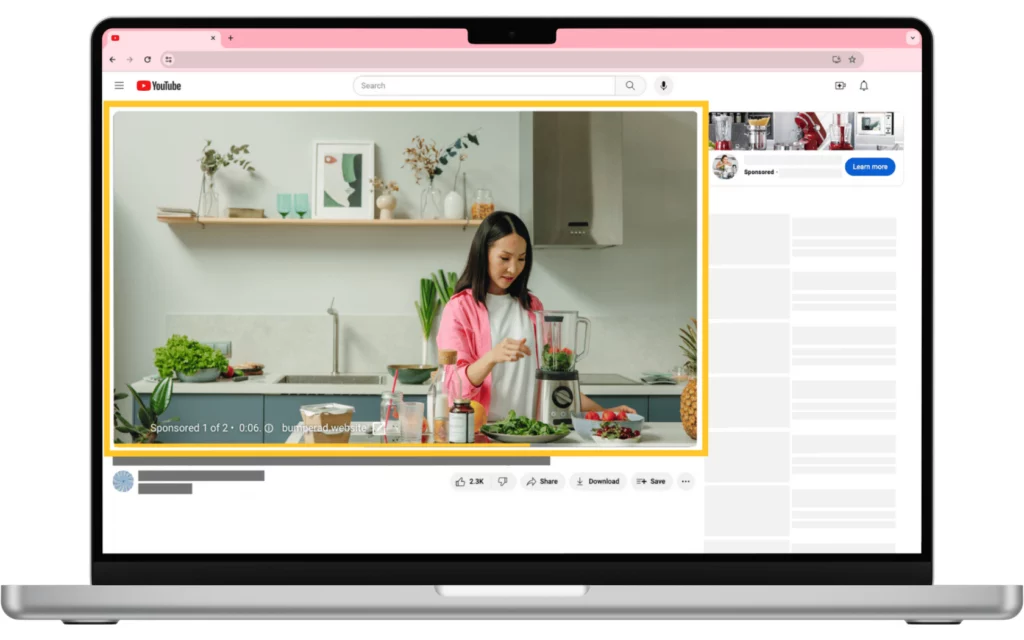
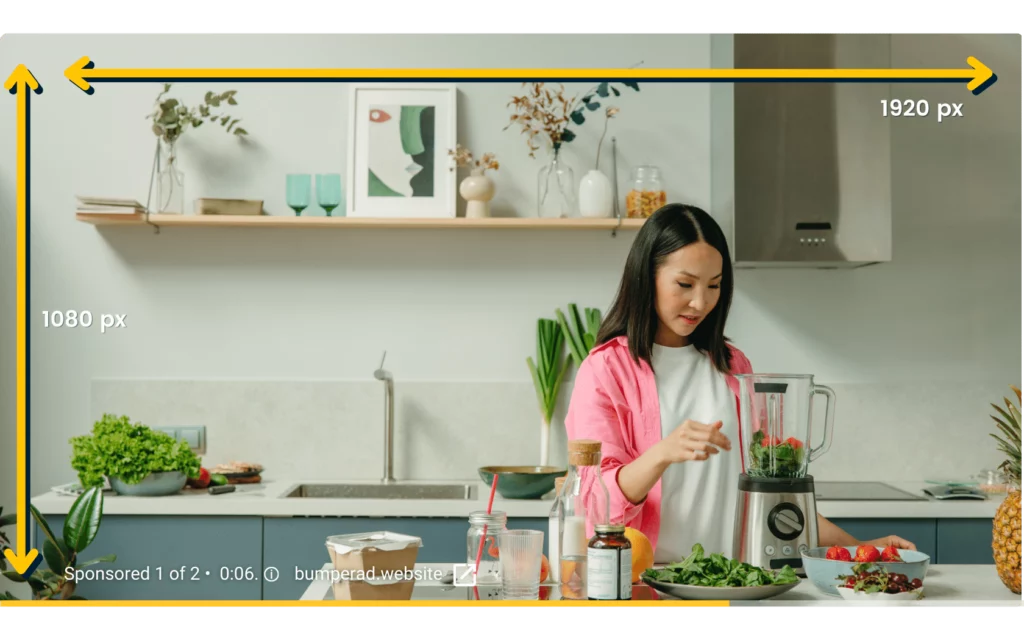
A bumper ad is a non-skippable video ad format created to extend the reach of a campaign. It appears before the video the user has chosen to view. Sold on a CPM basis, Bumper ads perform well on both Connected TV and mobile devices. In alignment with the 2025 YouTube ad specs, the maximum video length for bumper ads is 6 seconds.
Further Reading
Expand Your Audience with YouTube Video Reach Campaigns
By leveraging multiple advertising formats, YouTube advertisers can effectively broaden their reach, engage a wider audience, and maximize the impact of their campaigns beyond the YouTube app and YouTube TV.
Standard display ads
Ad placements
- Google Display Networks, Gmail, YouTube Home Feed and YouTube In-Feed
Assets overview
- Images: Up to 15 images
- Logos: Up to 5 variations
- Videos: Up to 5 videos
- Final URL: Landing page users reach after clicking the ad
- Business name: ≤25 characters
- Headlines: ≤30 characters; can add up to 5
- Long headline: ≤90 characters
- Description: ≤90 characters; can add up to 5
Technical YouTube ad specifications
- Dimensions:
- 300 pixels by 250 pixels
- 300 pixels by 60 pixels (YouTube Reserve companions)
- 300 pixels by 600 pixels (Zagat only)
- Formats: GIF, JPG, PNG
- Maximum file size: 150KB
- Maximum animation time: 30 seconds (all animations, including loops, must stop at 30 seconds)
- Audio: no sound
- Border: creatives with partially black or white backgrounds must have a visible border of a contrasting color
Demand Gen (formerly Video Action Campaigns)
YouTube advertising goes beyond awareness, helping brands move audiences down the funnel to drive engagement and conversions through video ads and product shopping ads. Video Action Campaigns (VAC) have been pivotal in achieving these goals.
VAC has now transitioned to Demand Gen, enhancing its capabilities to expand its reach while maintaining the performance and results that brands rely on. This evolution offers advertisers an opportunity to tap into broader audience segments without compromising on the effectiveness of their campaigns.
Ad placements
- YouTube, Discover, Gmail, and the Google Display Network (GDN)
Assets overview
- Final URL: Destination landing page
- Logos: Up to 5 variations
- Video URL: Must be uploaded and hosted on YouTube
- Image: Choose from 4 autogenerated thumbnails
- Headline: (1) ≤30 characters – in-stream inventory; (1) ≤90 characters – in-feed inventory
- Description: ≤90 characters
- CTA: ≤10 characters
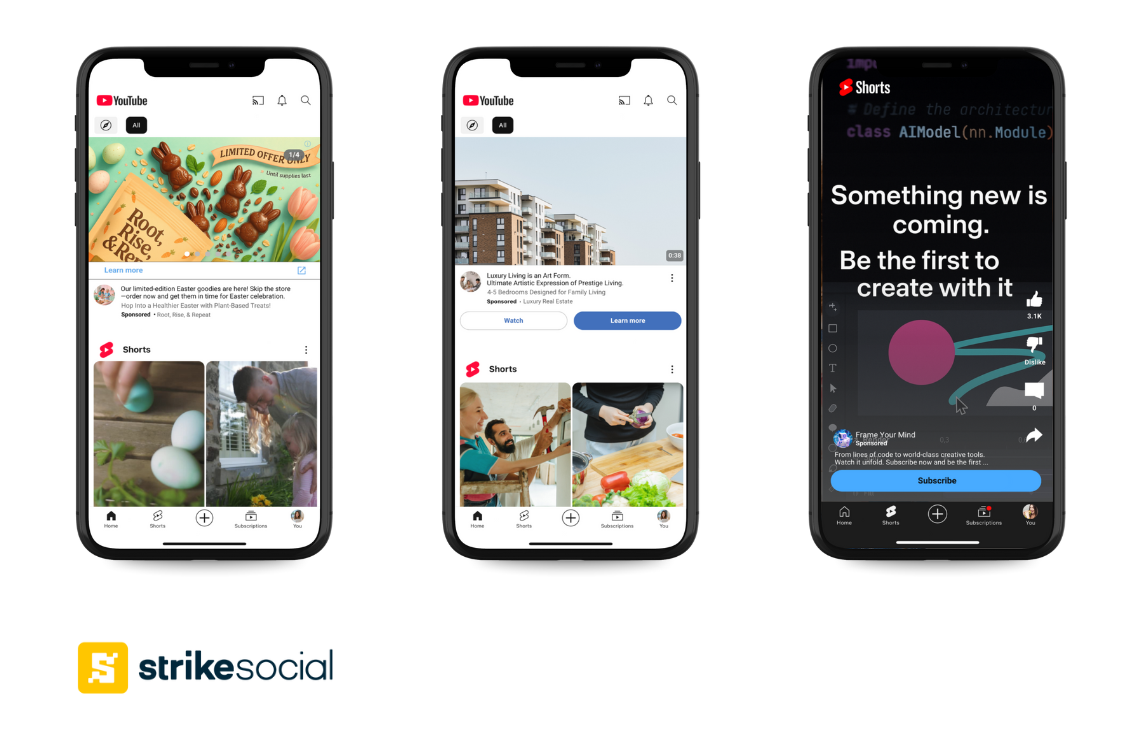
Image ad settings
- Images: Up to 15 images
- File format: JPG, PNG, or static GIF
- Business name: ≤25 characters
- Headlines: ≤40 characters; can add up to 5
- Description: ≤90 characters; can add up to 5
- Resolution: 1920 x 1080px (horizontal); 1080 x 1920px (vertical); 1080 x 1080px (square)
- Minimum px for Standard HD: 1280 x 720px (horizontal); 720 x 1280px (vertical); 480 x 480px (square)
- Maximum file size: ≤ 5MB
Video ad settings
- Videos: Up to 5 videos
- Business name: ≤25 characters
- Headlines: ≤40 characters; can add up to 5
- Long headline: ≤90 characters; can add up to 5
- Description: ≤90 characters; can add up to 5
- File format: .MPG (MPEG-2 or MPEG-4)
- .WMV, .AVI, .MOV and .FLV .MPEG-1, .MP4, .MPEGPS, 3GPP, WebM, DNxHR, ProRes, CineForm & HEVC (h265)
- Resolution: 1920 x 1080px (horizontal); 1080 x 1920px (vertical); 1080 x 1080px (square)
- Minimum px for Standard HD: 1280 x 720px (horizontal); 720 x 1280px (vertical); 480 x 480px (square)
- Frame rate: 30 FPS
- Aspect ratio: 16:9 for horizontal; 9:16 for vertical; 1:1 for square
- Maximum file size: ≤ 256GB
Carousel ad settings
- Images: Up to 10 image cards
- Business name: ≤25 characters
- Headlines: ≤40 characters; 1 per card; 1 headline for the full carousel
- Description: ≤90 characters
Video View Campaign Skippable in-stream
Assets overview
- Video URL: Must be uploaded to YouTube
- Final URL: Landing page users are directed to after clicking the ad
- Display URL: Up to 2 customizable paths (15 characters each)
- Long headline: ≤90 characters
- Description: ≤90 characters
Video ad settings
- Resolution:
- 1080p (Full HD): Recommended pixels (px) for HD: 1920 x 1080px (horizontal)
- 720p (Standard HD): Minimum px: 1280 x 720px (horizontal)
- SD: 640 x 480px (horizontal)
- For optimal quality, we don’t recommend using SD.
- Aspect Ratio: HD: 16:9 for horizontal; SD: 4:3 (SD) for horizontal
- For optimal quality, we don’t recommend using SD.
- Format: .MPG (MPEG-2 or MPEG-4), .WMV, .AVI, .MOV and .FLV .MPEG-1, .MP4, .MPEGPS, 3GPP, WebM, DNxHR, ProRes, CineForm & HEVC (h265)
- File Size: ≤256 GB
- Format composition for In-stream placement: ≥:05 seconds horizontal
Further Reading
YouTube Video View Campaign vs. Video Action Campaign
With the variety of YouTube advertising options, choosing the right one for your brand can be challenging. To guide your decision, we break down the differences between YouTube Video View Campaigns and Video Action Campaigns. Discover their unique objectives, benefits, and the ideal scenarios for leveraging each campaign type.
Video View Campaign In-feed
Assets overview
- Video URL: Must be uploaded to YouTube
- Final URL: Landing page users are directed to after clicking the ad
- Display URL: Up to 2 customizable paths (15 characters each)
- Long headline: ≤90 characters
- Description: ≤90 characters
Video ad settings
- Resolution:
- 1080p (Full HD): Recommended pixels (px) for HD: 1920 x 1080px (horizontal)
- 720p (Standard HD): Minimum px: 1280 x 720px (horizontal)
- SD: 640 x 480px (horizontal)
- For optimal quality, we don’t recommend using SD.
- Aspect Ratio: HD: 16:9 for horizontal; SD: 4:3 (SD) for horizontal
- For optimal quality, we don’t recommend using SD.
- Format: .MPG (MPEG-2 or MPEG-4), .WMV, .AVI, .MOV and .FLV .MPEG-1, .MP4, .MPEGPS, 3GPP, WebM, DNxHR, ProRes, CineForm & HEVC (h265)
- File Size: ≤256 GB
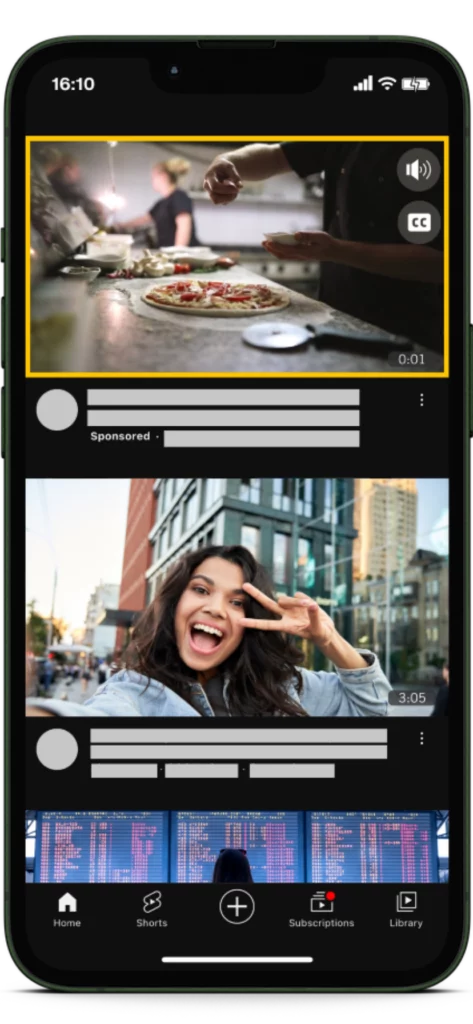
- Format composition for YouTube in-feed placement: ≥:05 seconds horizontal
Video View Campaign in YouTube Shorts placement
As YouTube Shorts emerges as a standalone vertical video feed, Video View Campaigns capitalize on this placement to drive more engaged views. At Strike Social, YouTube Shorts has proven highly effective, with one of our standout campaigns attributing 43% of its total ad views to Shorts placements alone.
Assets overview
- Video URL: Must be uploaded to YouTube
- Final URL: Landing page users are directed to after clicking the ad
- Display URL: Up to 2 path segments (15 characters each)
- Long headline: ≤90 characters
- Description: ≤90 characters
Video ad specifications
- Resolution:
- 1080p (Full HD): Recommended pixels (px) for HD: 1080 x 1920px (vertical)
- 720p (Standard HD): Minimum px: 720 x 1280px (vertical)
- SD: 480 x 640px (vertical)
- For optimal quality, we don’t recommend using SD.
- Aspect Ratio: HD: 9:16 for vertical; SD: 2:3 (SD) for horizontal
- For optimal quality, we don’t recommend using SD.
- Format: .MPG (MPEG-2 or MPEG-4), .WMV, .AVI, .MOV and .FLV .MPEG-1, .MP4, .MPEGPS, 3GPP, WebM, DNxHR, ProRes, CineForm & HEVC (h265)
- File Size: ≤256 GB
- Format composition for YouTube Shorts placement: ≥:05 seconds vertical
Video Reach Campaign
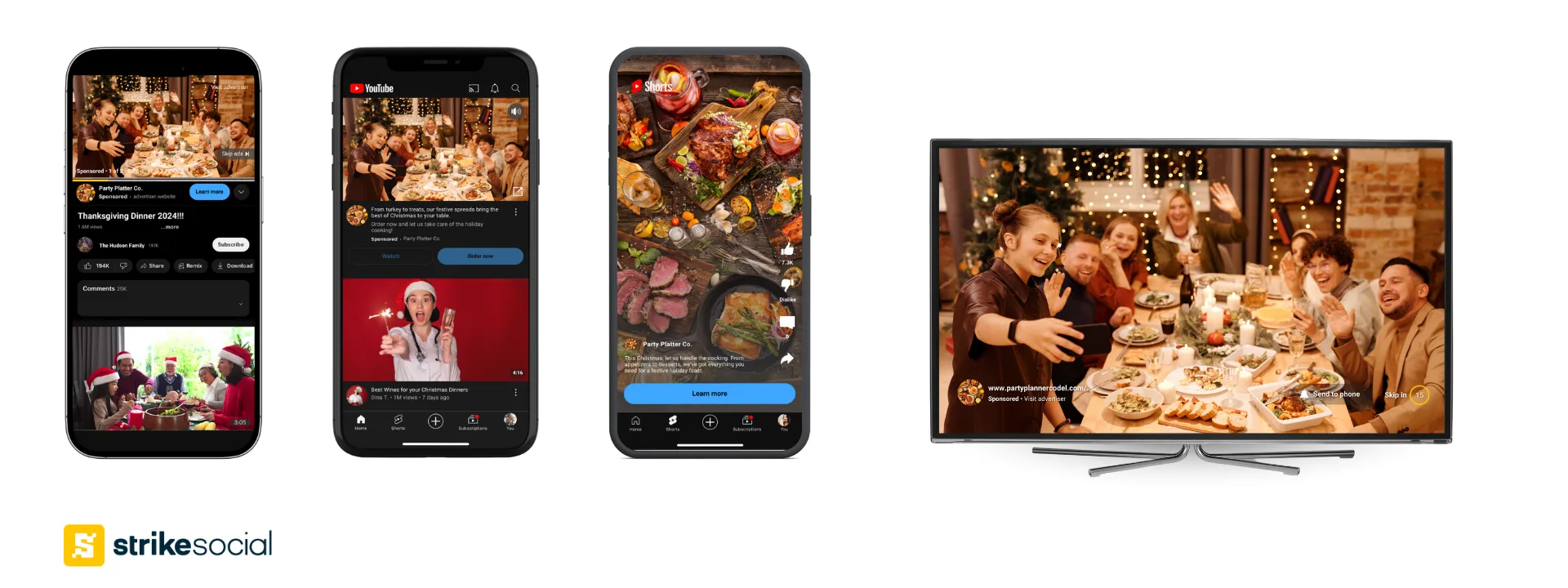
To expand your reach across both YouTube and YouTube TV platforms, Video Reach Campaign (VRC) allows your video ads to appear on both small and large screens. Below are the recommended YouTube ad specifications for VRC:
Ad placements
- Where they appear: Appear before, during, or after YouTube videos (desktop, mobile, tablet, and Connected TV)
- Also served across video partner sites and apps within the Google Display Network (GDN) (unless excluded in campaign settings)
Assets overview
- Video URL: Must be uploaded to YouTube
- Final URL: Destination landing page users reach after clicking the ad
- Display URL: Up to 2 path segments (15 characters each)
- Long headline: ≤90 characters
- Description: ≤90 characters
YouTube VRC specifications
- Resolution:
- 1080p (Full HD): Recommended pixels (px) for HD: 1080 x 1920px (vertical)
- 720p (Standard HD): Minimum px: 720 x 1280px (vertical)
- SD: 480 x 640px (vertical)
- For optimal quality, we don’t recommend using SD.
- Aspect Ratio: HD: 16:9 for horizontal; 9:16 for vertical; 1:1 for square
- Format: .MPG (MPEG-2 or MPEG-4), .WMV, .AVI, .MOV and .FLV .MPEG-1, .MP4, .MPEGPS, 3GPP, WebM, DNxHR, ProRes, CineForm & HEVC (h265)
- File Size: ≤256 GB
- Format composition: Any length; Recommended:
- (1) horizontal :15 and (1) horizontal :06
- (1) vertical :06-:60
Set Your YouTube Ad Creatives for Success
Your YouTube ad is the first point of contact with your audience, making it essential to ensure it’s both visually appealing and conveys your message effectively. To ensure your ad is displayed as intended and captures your audience’s attention, it’s crucial to follow the right specifications.
This YouTube ad specs guide will prepare you for success in 2025. Looking for more tailored insights? Sign up for our newsletter to receive regular updates on YouTube paid advertising and more.


